
1
Private project
Create or log into a family account so the montage, uploads, previews, and payment stay together.
A clear walkthrough for families: organize everyday memories into chapters, choose approved music, compare previews, then approve the clean 4K final for the event screen.
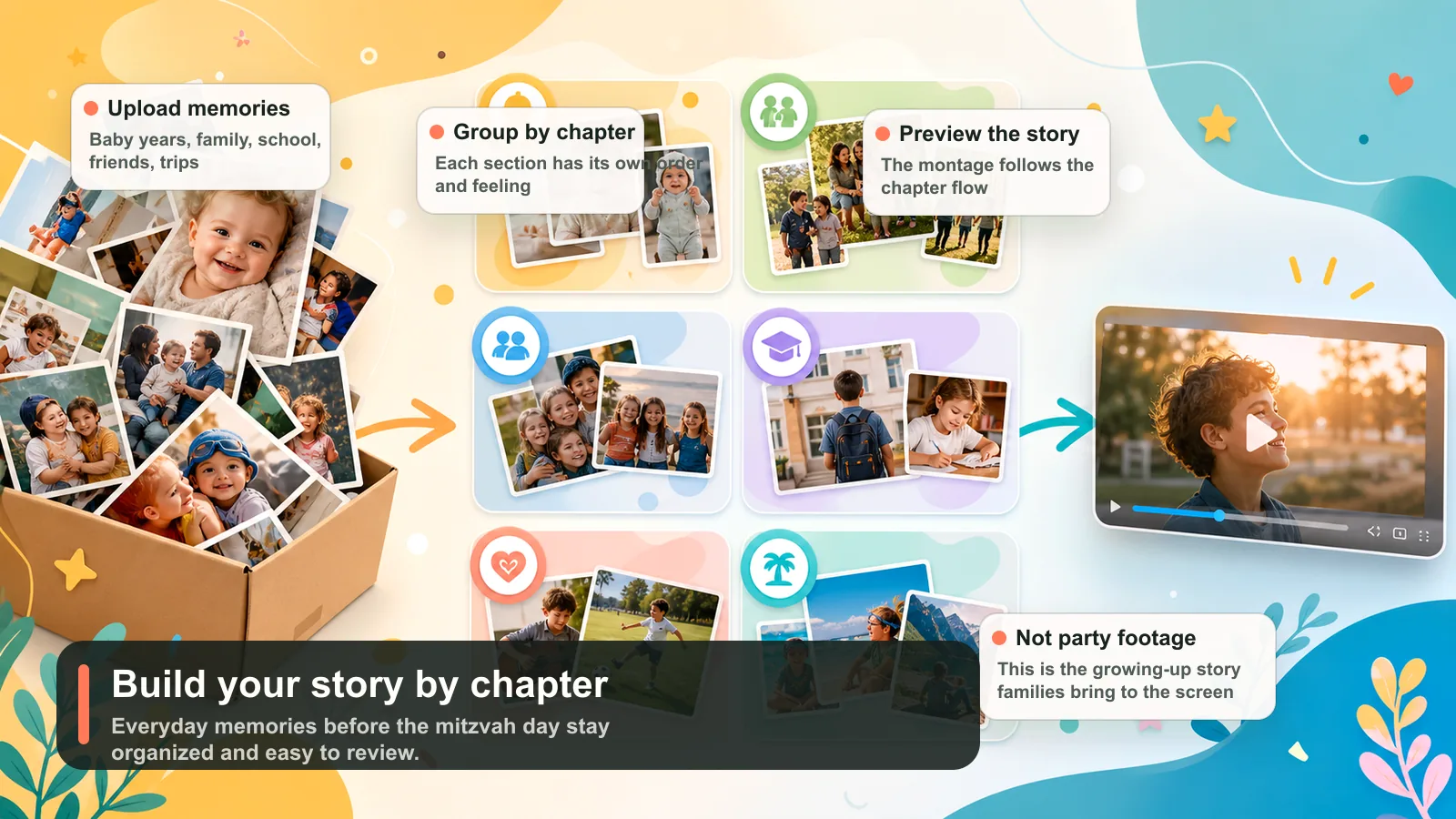
Families organize the story; the system creates the montage.
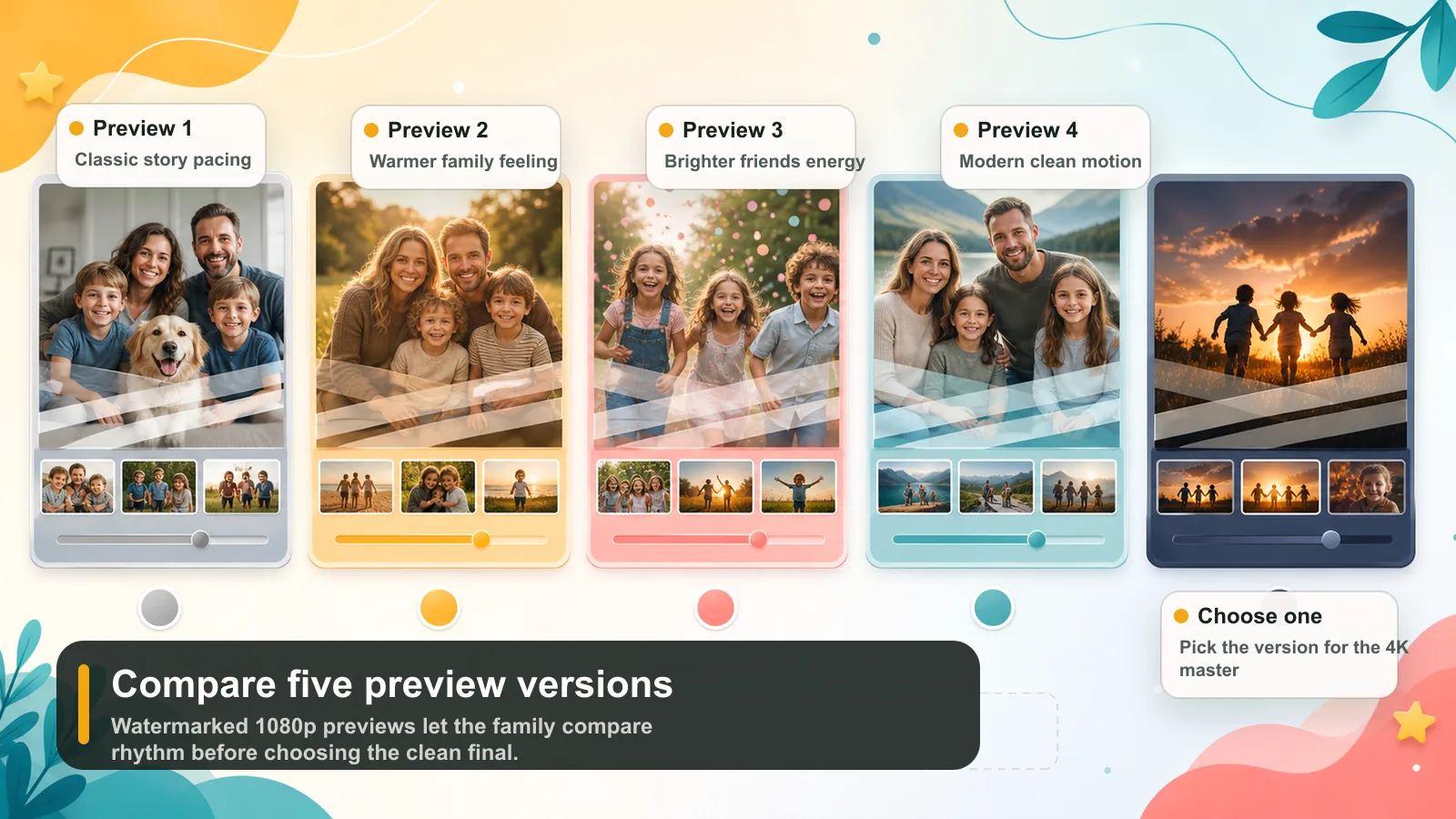
Compare watermarked versions before the final.
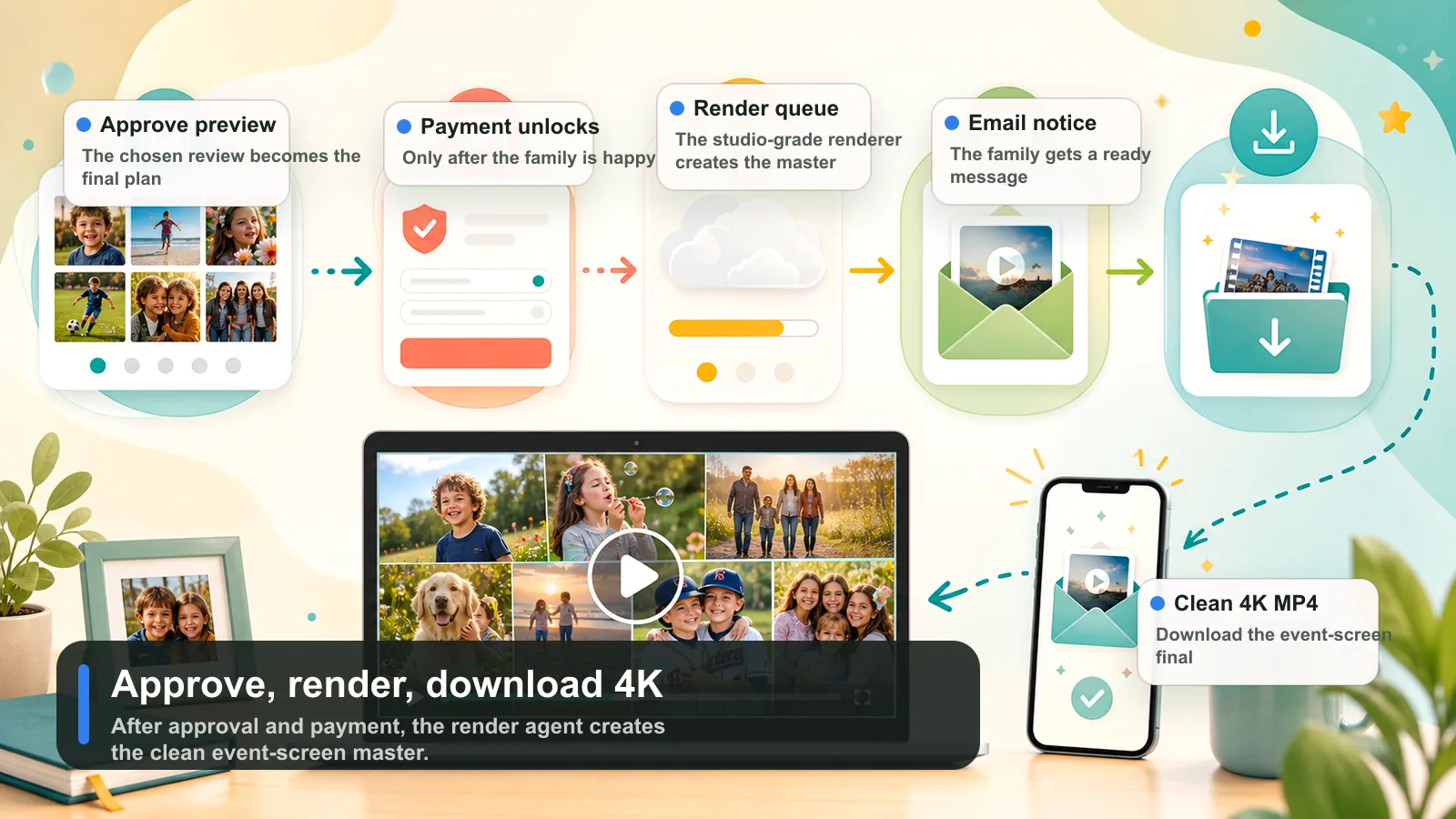
The paid final is rendered clean for event-screen playback.
The montage is built from growing-up memories: baby years, family life, friends, school, hobbies, vacations, and other moments before the mitzvah day.
Create or log into a family account so the montage, uploads, previews, and payment stay together.
Use sections like Baby Years, Family, Friends, School, Hobbies, Vacations, or custom chapters.
Add photos inside each chapter, watch upload progress, and drag memories into the right sequence.
Pick from studio-approved tracks so previews render reliably and the final remains safer to deliver.
Generate up to five watermarked 1080p review videos before committing to the clean final.
Approve the preferred preview, complete checkout, and receive an email when the clean 4K MP4 is ready.
Start with the photos and short clips that show the growing-up story before the mitzvah day.
The page focuses on the child's life before the mitzvah day: growing up, family time, friends, school, hobbies, trips, and quiet everyday memories.
Place each memory inside the right section, then drag photos into the order that feels natural.
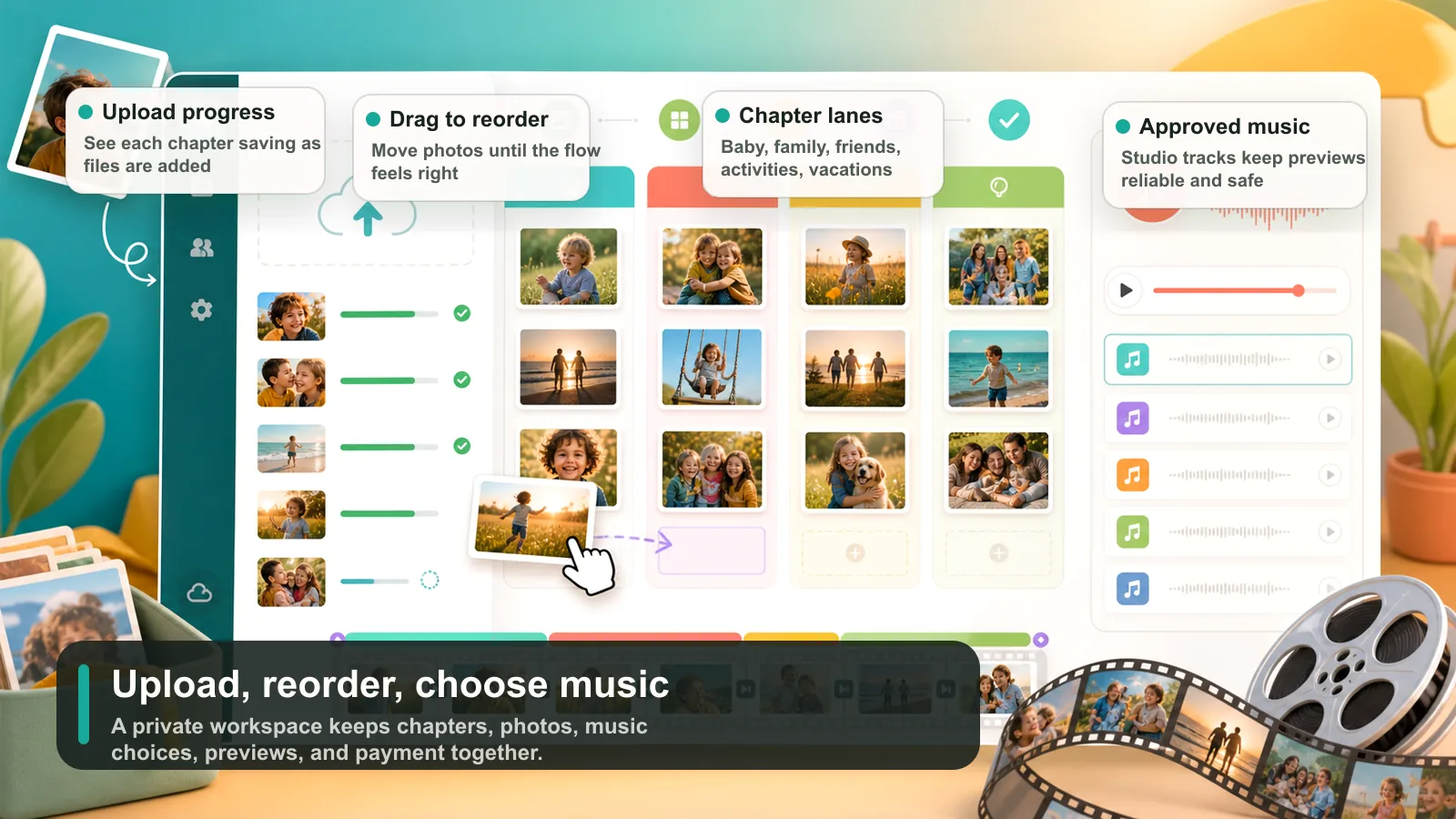
Create watermarked 1080p review versions and choose the pacing, motion, and chapter flow you like best.
After the favorite preview is selected and checkout is complete, the render agent creates the event-screen MP4.
The review stage is where the family can calmly compare versions and make sure the montage feels right before the clean final is rendered.
Chapter order
Photo order
Music feeling
Motion style
Title cards
Overall pacing
Start with the memories you already love. Mazel Montage helps turn them into a polished film the family can preview before final delivery.